Visual evidence
These images come from official Steam media or clearly labeled source references. They add visual context without pretending that every reported item has a verified item-icon screenshot.
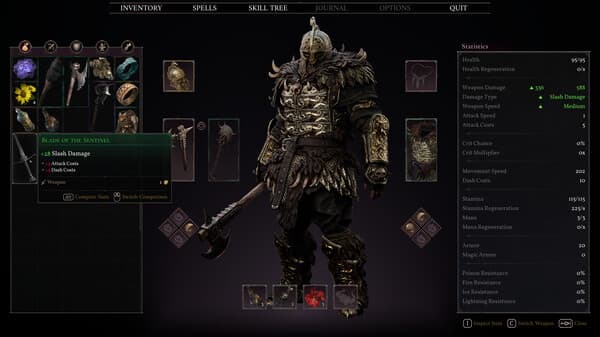
Inventory material context
Official UI visual used as inventory context. It is not a verified Pristine Ascension Shard icon.

Cinder Keep route context
Used as route context for the reported Cinder Keep material location.
Route and loot map
This is a text route and loot ledger, not a fabricated map screenshot. It shows what to check, what the current report says, and what still needs direct capture.
- 01Search the reported Cinder Keep courtyard route.
- 02Capture the pickup prompt or inventory item name before upgrading this to in-game verified.
- 03Record which weapon upgrade tier the material affects after testing.
| Type | Name | Route / use | Evidence |
|---|---|---|---|
| Reported material | Pristine Ascension Shard | Cinder Keep courtyard | Community Reported |
| Reported use | Early weapon upgrade push | XMODhub guide report | Community Reported |
Wiki data
Fields below keep their own evidence labels. A reported location or effect is useful for play planning, but it is not treated as official unless the source supports that.
| Field | Value | Evidence | Source |
|---|---|---|---|
| Type | Upgrade material | Community Reported | Entry sources |
| Location report | Cinder Keep courtyard | Community Reported | Entry sources |
| Use report | Pushes an early weapon upgrade tier | Community Reported | Entry sources |
Sources
Sources are shown so players can separate official facts from guide reports, community reports, and wiki-style claims.